Structured Cabling
The wiring behind every system — done right the first time so you're not tearing open walls later.
The infrastructure every other system depends on
Every camera, access-control reader, phone, and network switch relies on cabling that's run, terminated, and labeled correctly. We design structured cabling systems for new construction and retrofits, whether you need a single office rewired or a full commercial building's data and security infrastructure planned from the ground up.
Clean cabling infrastructure also makes it far easier to add or move devices later — for us, or for your in-house IT team.
- Cable category matched to the bandwidth each run actually needs
- Every run labeled and documented for future work
- Pre-wiring available during new construction or renovation
Choosing the right category for the job
| Cable type | Typical max speed | Common use |
|---|---|---|
| Cat5e | Up to 1 Gbps | Basic data/voice runs, older installs, budget-driven retrofits |
| Cat6 | Up to 1-10 Gbps (distance dependent) | Standard choice for most new commercial and residential runs |
| Cat6A | 10 Gbps at full 100m distance | Higher-bandwidth needs, future-proofing, longer cable runs |
| Fiber optic | 10 Gbps+, much longer distances | Building-to-building backbone links, long-distance camera runs |
Actual speeds depend on the connected hardware and cable run length/quality — we'll recommend the category that fits your systems and budget, and confirm specifics against current TIA/EIA standards.
For the runs copper can't cover
Copper cabling tops out around 100 meters per run. Once a connection needs to travel farther — building-to-building on a campus, across a large facility, or out to a detached structure — fiber optic cable is what carries it, without the distance and interference limits copper runs into.
We install both single-mode fiber (for longer backbone runs) and multi-mode fiber (for shorter high-bandwidth links), with proper termination and fusion splicing so the connection performs at full speed rather than degrading at every joint.
- Building-to-building and campus backbone links
- Long-distance camera and access-control runs beyond copper's range
- Immune to electrical interference that can affect copper runs near heavy equipment
What ties every cable run together
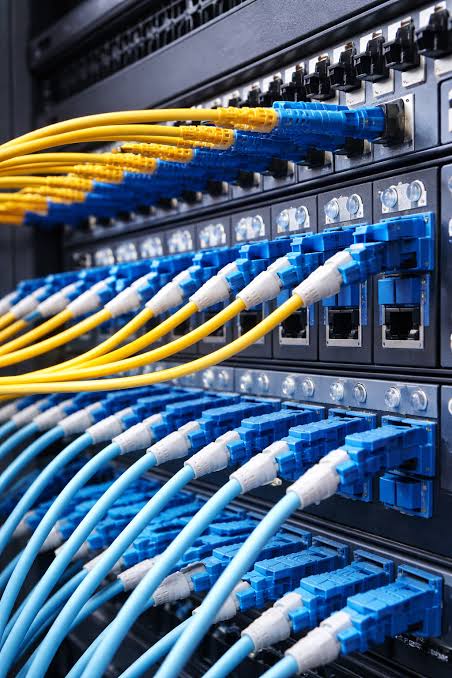
Equipment racks & patch panels
Organized termination points that make troubleshooting and future changes simple — instead of a tangle of cables run directly to switches.
Cable management
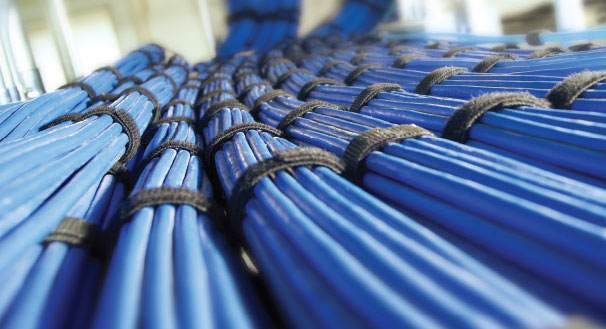
Proper routing, bundling, and support so runs aren't stressed, kinked, or overheating in a bundle — all of which can degrade performance over time.
Labeling & as-built documentation
Every cable run labeled at both ends and documented, so future work — ours or anyone else's — doesn't start from scratch tracing wires.
Testing & certification
Cable runs tested after installation to confirm they perform to the category's rated specification before we call the job done.
The invisible backbone for everything else we install
Structured cabling doesn't "integrate" the way a camera or reader does — it's the physical foundation that lets every other system talk to each other in the first place.
PoE for cameras & readers
Power-over-Ethernet cabling delivers both data and power to cameras and access control readers over a single cable run.
Backbone for nurse call
Nurse call systems in larger facilities often run over the same structured cabling backbone as the network.
Room to grow
Properly documented cabling makes it far cheaper to add a camera, reader, or access point later, instead of running new cable from scratch.
From site survey to tested infrastructure
Survey
Walk the building and map every device that needs a run.
Design
Cable categories, routing paths, and rack layout planned out.
Install & Terminate
Cable runs pulled, terminated, and labeled at both ends.
Test & Document
Every run tested, with as-built documentation handed over.